个推Push
文档在此
导入依赖
build.gradle in project:
allprojects {
    repositories {
        jcenter()
        maven {
            url "http://mvn.gt.igexin.com/nexus/content/repositories/releases/"
        }
    }
}
build.gradle in app4
 dependencies {
    compile fileTree(dir: 'libs', include: ['*.jar'])
    testCompile 'junit:junit:4.12'
    compile 'com.android.support:appcompat-v7:23.4.0'
    compile 'com.android.support:design:23.4.0'

    compile 'com.getui:sdk:2.8.1.0'
    compile 'com.getui:ext:2.0.3'
    compile 'com.android.support:support-v4:+'
}


android {
    defaultConfig {
        applicationId "com.ctsi.push.test"
        minSdkVersion 14
        targetSdkVersion 23
        versionCode 1
        versionName "1.0"
        manifestPlaceholders = [
                GETUI_APP_ID : "6O4Urpucup8YCR3oizLJ47",
                GETUI_APP_KEY : "c5OpQqDAfp8PJt5S1mUD63",
                GETUI_APP_SECRET : "ChGcdUpyad8X3rOgDzKL51",
                PACKAGE_NAME : "com.ctsi.push.test"
        ]
    }
}
可以从个推的应用配置界面查看相关的信息:
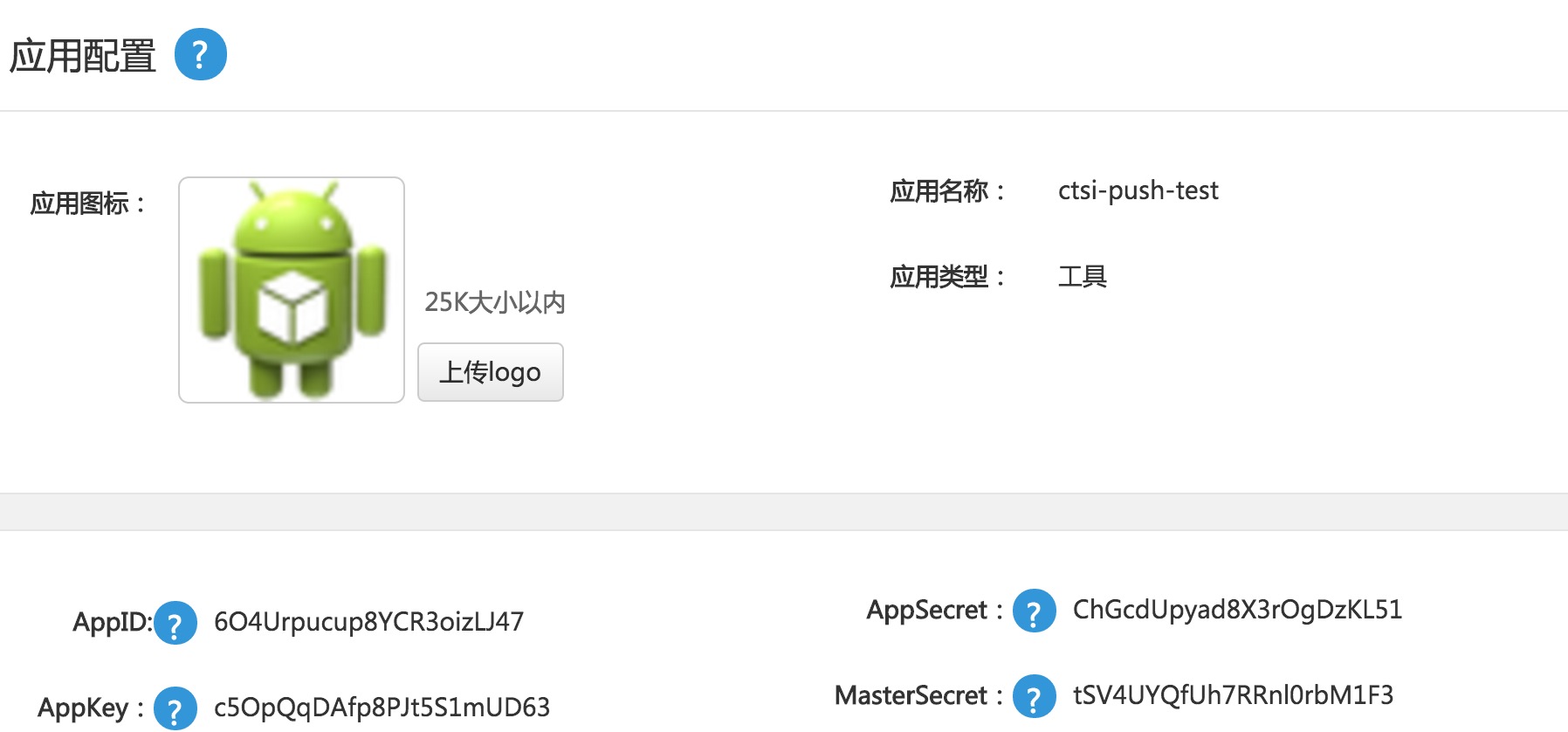
配置BroadcastReceiver
添加自定义BroadcastReceiver作为推送入口,Action是 "com.igexin.sdk.action.${GETUI_APP_ID}"
      android:name=".PushReceiver"
            android:exported="false">
            <intent-filter>
                <action android:name="com.igexin.sdk.action.6O4Urpucup8YCR3oizLJ47" />
            </intent-filter>
        </receiver>
public class PushReceiver extends BroadcastReceiver {
    @Override
    public void onReceive(Context context, Intent intent) {
        Bundle bundle = intent.getExtras();

        switch (bundle.getInt(PushConsts.CMD_ACTION)) {
            case PushConsts.GET_CLIENTID:

                String cid = bundle.getString("clientid");
                // TODO:处理cid返回
                break;
            case PushConsts.GET_MSG_DATA:

                String taskid = bundle.getString("taskid");
                String messageid = bundle.getString("messageid");
                byte[] payload = bundle.getByteArray("payload");
                if (payload != null) {
                    String data = new String(payload);
                    // TODO:接收处理透传(payload)数据
                }
                break;
            default:
                break;
        }


    }
}
若果需要电子围栏功能需要手动添加权限
<!-- iBeancon功能所需权限 -->;
<uses-permission android:name="android.permission.BLUETOOTH"/>
<uses-permission android:name="android.permission.BLUETOOTH_ADMIN"/>
<!-- 个推3.0电子围栏功能所需权限 -->
<uses-permission android:name="android.permission.ACCESS_FINE_LOCATION" />
<uses-permission android:name="android.permission.ACCESS_COARSE_LOCATION" />
添加资源
使用R.drawable.push作为notification的图标,需要向工程内添加图片资源
初始化sdk
该在Activity或Service类内调用初始化方法,一般情况下,可以在Activity的onCreate()方法中调用,不建议在Application中调用
PushManager.getInstance().initialize(this.getApplicationContext());
配置完成后,我们可以通过receiver获取clientId完成号码与cid的绑定,并获取推送的消息。
推送消息方式
1.使用CID(ClientId)进行推送
推送方式包括穿透消息和通知栏推送,目前来看穿透消息灵活度高一点,另外我们可以通过创建自定义事件进行一些统计。
2.通过设置Tag进行推送
我们可以给CID绑定标签,通过